DIAGRAM


Move between text and diagrams without losing the model.
Build your system in the development environment you already use.
package DeliveryDrone { part def Battery; part def FlightController; part def Propulsion; part def Navigation; part def Drone { part battery : Battery; part controller : FlightController; part propulsion : Propulsion; part navigation : Navigation; } part drone : Drone;}package DeliveryDrone { part def Battery; part def FlightController; part def Propulsion; part def Navigation; part def Drone { part battery : Battery; part flightComputer : FlightController; part propulsion : Propulsion; part navigation : Navigation; } part drone : Drone;}Both states are generated by the extension exporter. Download this model
Code is a powerful way to describe a system.
A diagram is a powerful way to
understand it.
Aliot brings the two together.
Start with the question you need to answer. Then choose the view that makes the model easier to work with.
Structure mode groups definitions, usages and features within their owning containers. Expand compartments to inspect members and follow relationships between elements.
Open full-size SVG ↗
Tree mode lays out feature membership from parent to child in source order. Branches and links reveal ownership, typing and other relationships across the model.
Open full-size SVG ↗
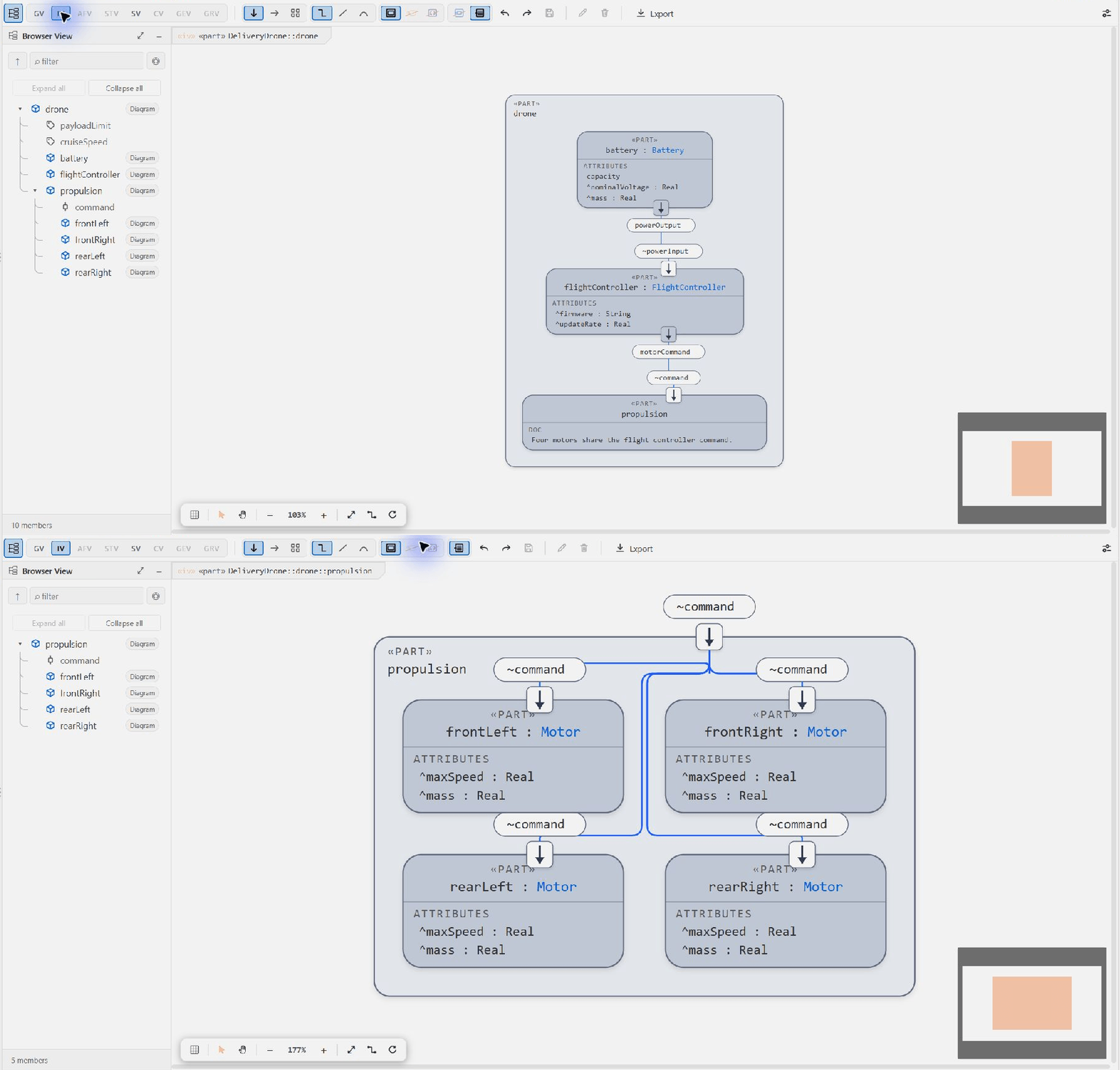
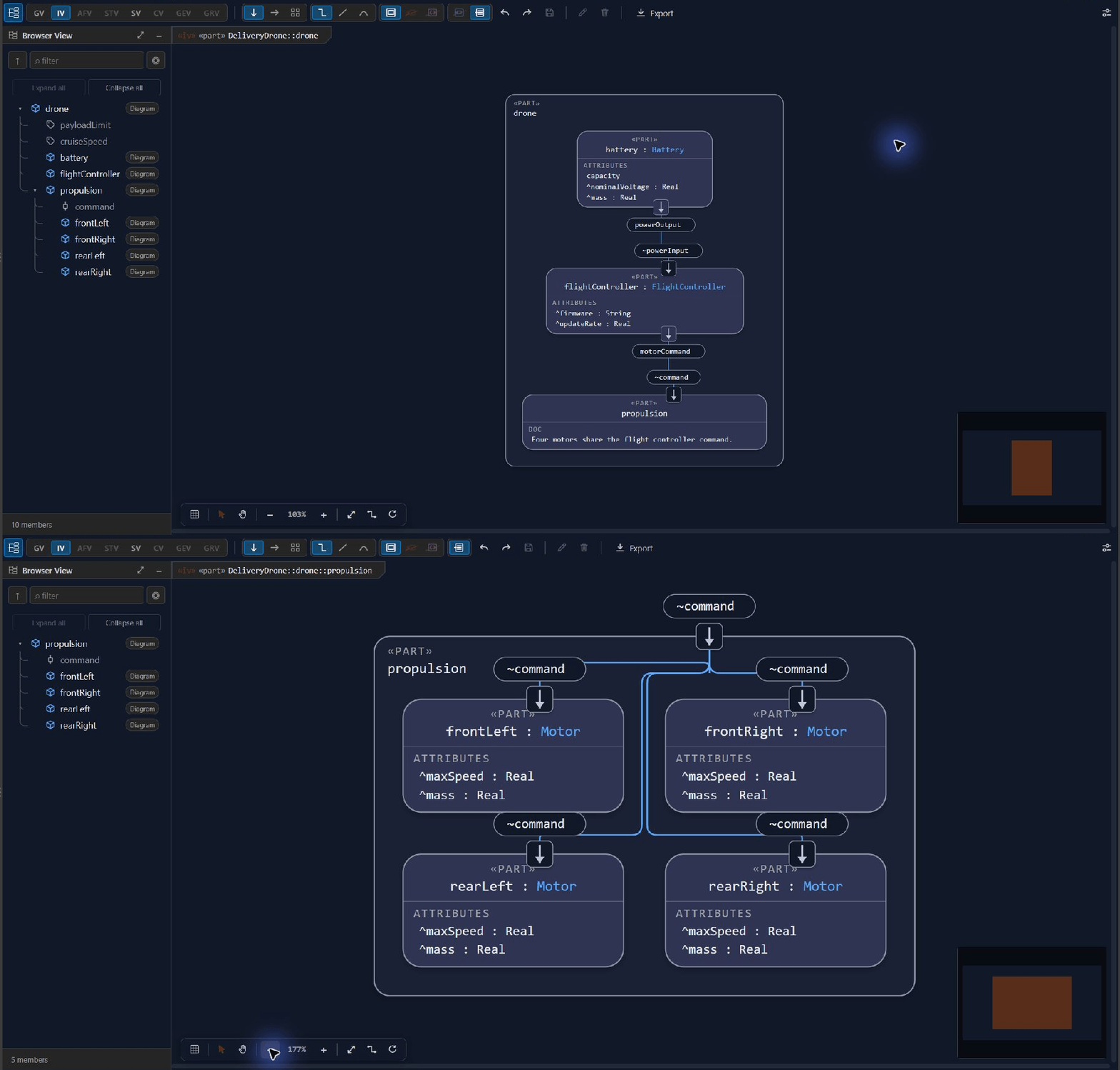
Shows how parts, ports, interfaces and connections form a system. Expand connection and interface blocks to inspect their ends, flows and nested ports.
Open full-size SVG ↗
Shows how actions proceed through control and item flows. Forks, joins, loops and performer lanes make concurrency and responsibility visible.
Open full-size SVG ↗
Shows the states and transitions of a state machine, including triggers, guards, effects and concurrent regions.
Open full-size SVG ↗
Shows interactions over time as lifelines and ordered messages. Fragments express repetition or other control around message exchanges.
Open full-size SVG ↗
Shows cases in relation to their subject and actors. Relationships between cases make shared or dependent behavior visible.
Open full-size SVG ↗
Shows model geometry from shapes and coordinate frames, making spatial position, orientation and dimensions visible.
Open full-size SVG ↗
Lists requirements in a table for scanning, selection and editing supported fields. Adjust columns to focus on the data you need, or export the table as CSV.
Download showcase CSV ↗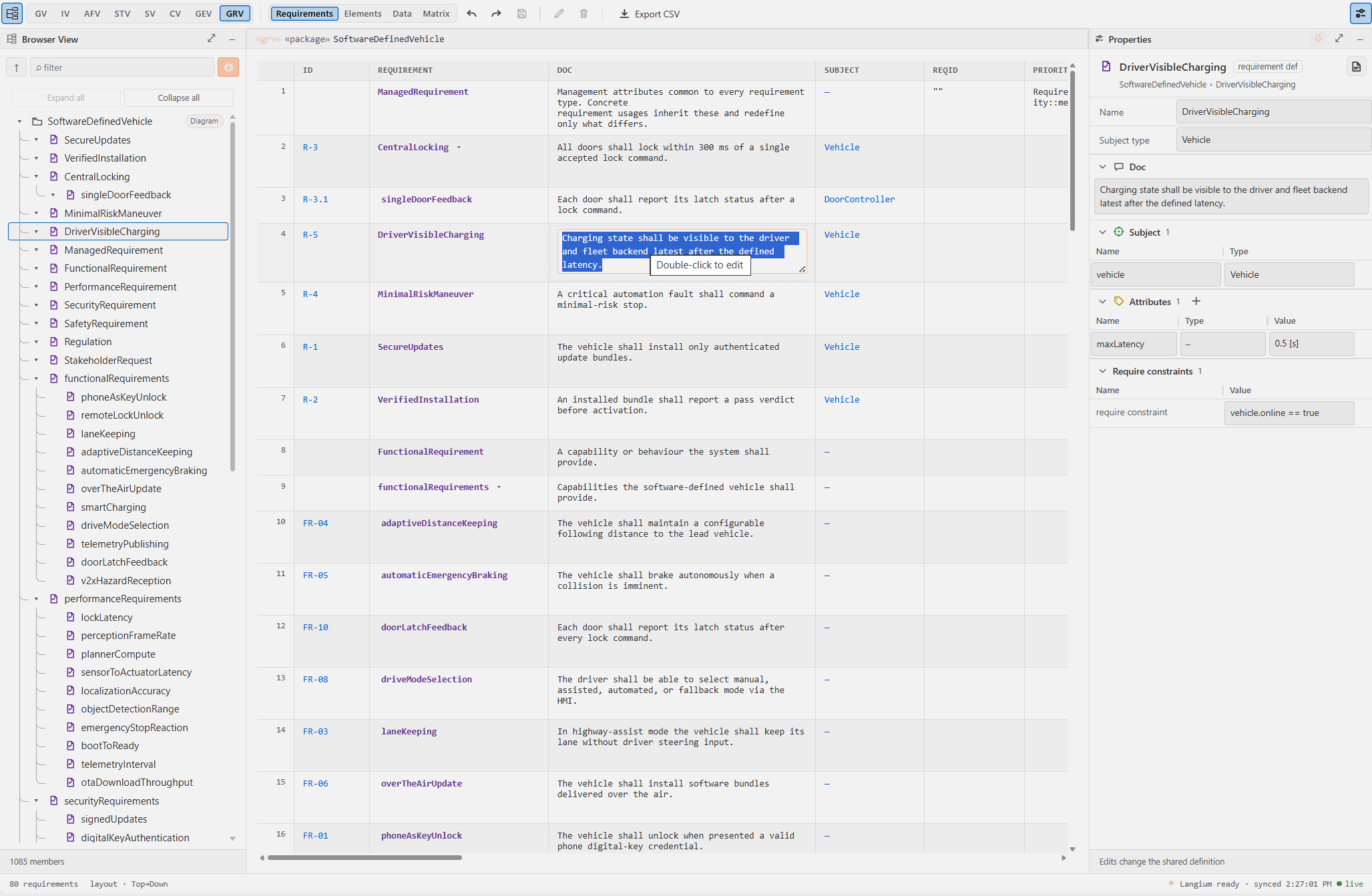
Browse the hierarchy, inspect inherited features and change values in Properties. These are actual captures from Aliot in VS Code.
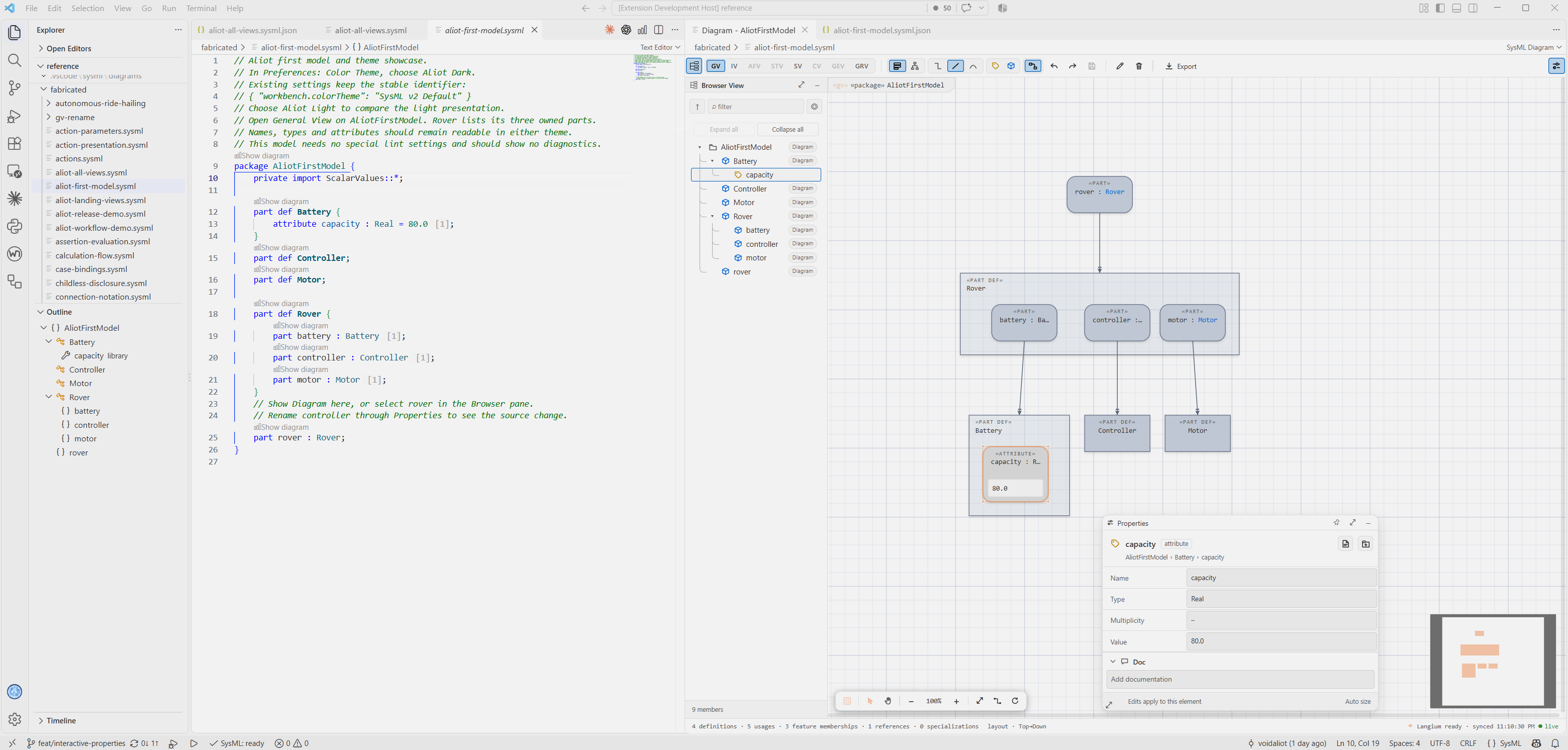
Change the battery capacity from 80 to 95. Applying the inherited value creates a local override. The Battery definition and spare battery keep their original value.
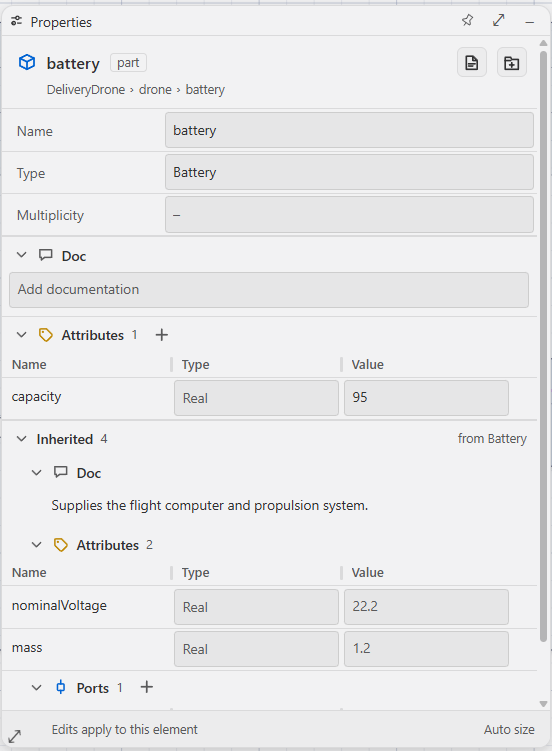
Browse features and edit them directly in the Properties pane.
Undo and redo work across diagram and code changes.
Choose the Diagram pill beside propulsion in the Browser. Its four motors become the focus. Use Up beside the filter to return to the parent's General View.
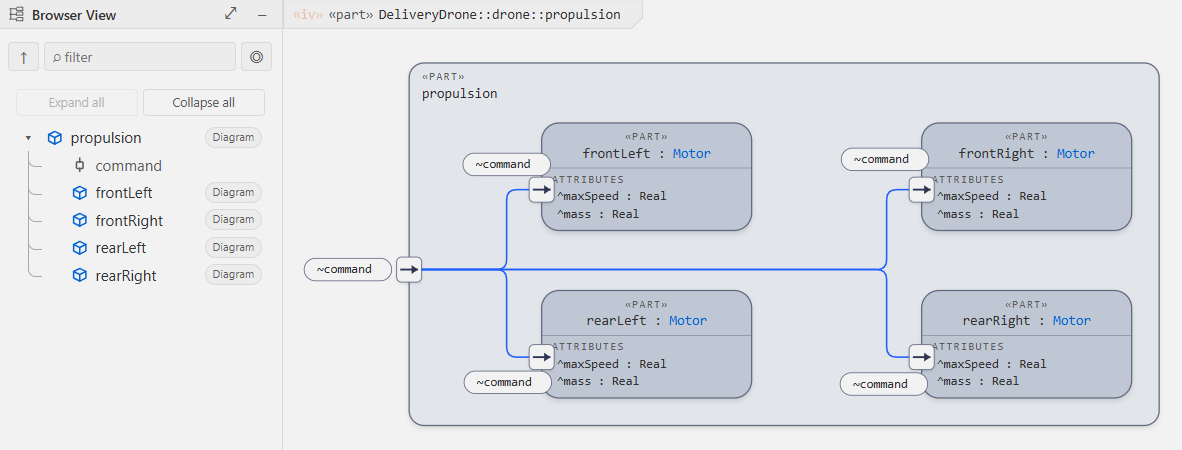
Download the capture model Light navigation GIF Dark navigation GIF
No separate modeling repository to maintain. Keep the system description where the rest of your engineering work happens.
Review text changes and keep diagram presentation files in your repository.
Use the companion command-line tools for model checks and diagram exports.
Optional VS Code agent tools expose language-server context, library search, and draft validation.
delivery-drone/
├── models/
│   └── drone.sysml
├── .vscode/sysml/
│   ├── project.json
│   └── diagrams/
└── docs/
$ npx sysml-validate models/ --strict

$ npx sysml-diagram export \
    --file models/drone.sysml \
    --view iv --out docs/drone.svg
Open a sample, explore its structure, and make it your own. Move from a first model to a larger architecture.
Learn definitions, usages, and the structure of a simple system.
Open the modelDiscover parts, ports, connections, and system behavior.
Open the modelExplore a larger architecture with interfaces and requirements.
Open the modelPrefer a tiny local example? Download the three-part rover
Find Aliot SysML v2 in the VS Code Marketplace.
Choose a sample or runSysML: New Model…
Run SysML: Show Diagram.
Explore, edit, and save.
The tools, the files, and what stays local. Find the full setup and feature guidance in the documentation.
Read the user guideNo separate Java runtime or PlantUML server is required for the extension’s modeling workflow. The extension includes its language service and the standard library.
The model stays in your .sysml or .kerml files. Diagram
presentation is stored separately under .vscode/sysml/diagrams/. You
decide which files to commit to Git.
The documented web support includes language services and editable diagrams. Features that require local filesystem or Node.js access, including the companion CLIs and archive workflows, have desktop-specific requirements. Check the user guide for the current compatibility details.
No. The modeling workflow does not require an AI model or AI account. Agent tools are optional. A separately enabled agent or service may transmit the context you choose to share under that service’s own policies.
Choose Aliot Light or Aliot Dark in VS Code. Diagrams follow your active editor theme. This page has its own light and dark switch.
Aliot is available under its Freeware License. Bundled libraries retain their upstream licenses. Read the license for the terms.
SysML v2 and KerML. Text and diagrams. Inside VS Code.